LawToolBox MCP Connector for ChatGPT
LawToolBox brings rules-based legal deadline calculation and matter management directly into ChatGPT. This short walkthrough shows how the integration works — from getting your upcoming deadlines, to checking a matter’s status and then diving into a specific deadline.
AI-Ready Matter Containers, Reachable by ChatGPT
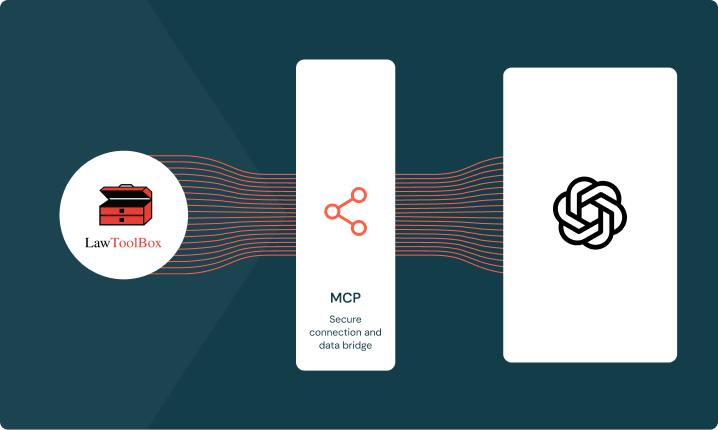
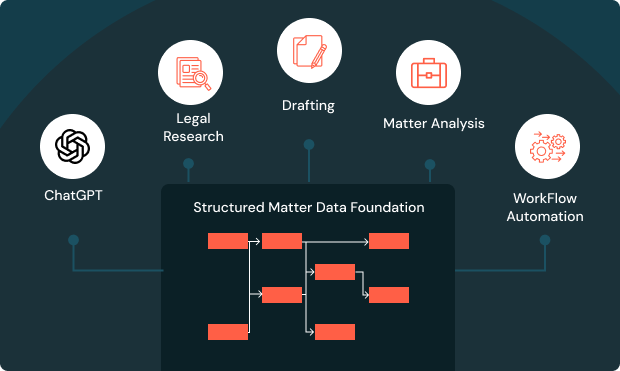
LawToolBox builds matter containers in Microsoft 365, pulling data from your system of record into Outlook, Word, Teams and SharePoint. Each container holds deadlines, documents, and strategic analysis behind the firm’s existing data governance and ethical walls. ChatGPT reaches this data through the MCP connector without a separate integration.
Skills and Tools That Put ChatGPT to Work in M365
Legal professionals customize the MCP experience with skills that curate the workflow. Skills publish as part of the MCP and are customizable using practice group and departmental playbooks that define templates, clauses, and processes.
- Analyze Deadlines & Draft Docs: Combines deadline analysis with ChatGPT to draft, create, and analyze legal work grounded in the firm’s own gold standard templates and the LawToolBox framework of rules and regulations built by attorneys over decades.
- Matter Status Updates: Analyzes matter status and drafts next steps, powered by internal playbooks, legal content, and rules-based logic.
- Gameplan Strategy and Next Steps: Surfaces upcoming deadlines and researches what’s needed to meet them, trained on skills built from decades of attorney-developed legal content.
Better Together
A unified experience across LawToolBox, ChatGPT, and Microsoft 365 — so legal teams can ask, calculate, and confirm deadlines in natural language, without leaving the tools they already use.
Never Miss a Deadline
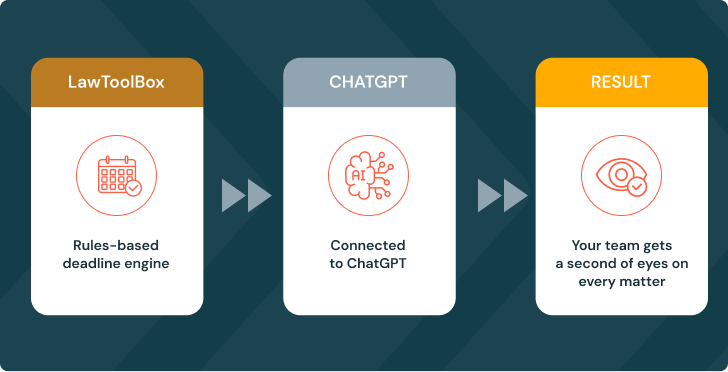
With LawToolBox’s rules-based deadline engine connected to ChatGPT, your team gets a second set of eyes on every matter — checking calculations, flagging sync gaps, and catching what a manual process might miss.
Ask ChatGPT About Any Deadline
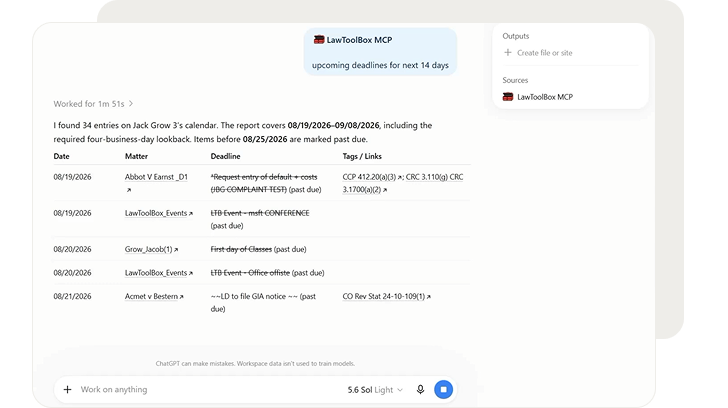
“What’s due on the Smith matter in the next two weeks?” ChatGPT checks LawToolBox’s live deadline chart and answers in plain language — no logging in, no searching.
Calculate Deadlines From a New Filing
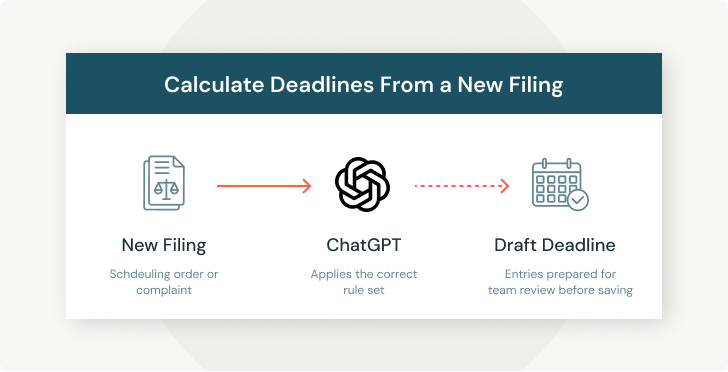
Share a scheduling order or complaint with ChatGPT, and it calculates the applicable deadlines against the correct rule set — drafting entries for your team to review before anything is saved.
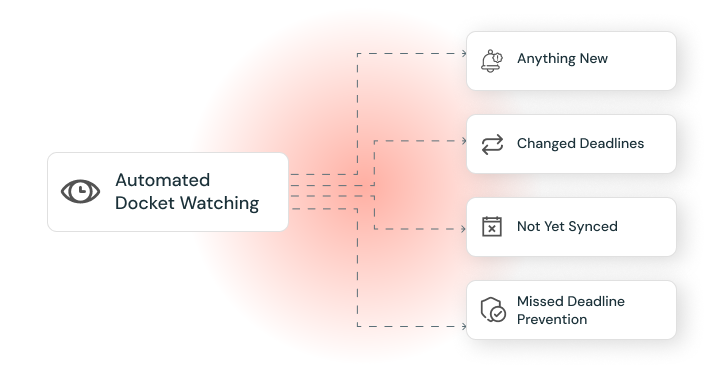
Automated Docket Watching
Configure ChatGPT to check every active matter’s deadline chart on a schedule, flagging anything new, changed, or not yet synced to a calendar — before it becomes a missed deadline.
One Foundation, Every AI Tool
LawToolBox’s structured matter data isn’t built for just one AI platform — it’s the same trusted foundation ChatGPT and other leading legal AI tools draw on, so accuracy travels with the matter, not the vendor.
Agents That Combine ChatGPT with Other Systems
LawToolBox agents run scheduled tasks like weekly deadline checks or calendar audits, and ChatGPT can call the LawToolBox MCP alongside other MCP servers such as iManage, NetDocuments, Adobe or DocuSign. Firms can run all of it through a single ChatGPT agent in one conversation. Data stays anchored to the same matter container no matter which system triggered the workflow.
Security and Governance
The connector operates entirely inside the client’s Microsoft 365 tenant and respects existing data governance, ethical walls, and permissions. LawToolBox is not a separate copy of firm data, it is a gateway into containers the firm already controls. ChatGPT connects through Anthropic’s MCP directory with admin-configured, vault-secured access.
MCP Connectors
the Gateway
MCP Tools
Grounding user data.
MCP Skills
Instructions that Incorporate MCP Tools.
MCP Agents
Orchestrating Actions Performed by Connectors and Skills.
““Every matter we create becomes a structured, AI-ready container in Microsoft 365 — the same container ChatGPT and other leading legal AI platforms draw on. Deadline accuracy and transparency is mission critical, but a trusted data layer underneath the AI is the foundation for successfully implementing meaningful AI across an organization.”
Jack Grow
CEO, LawToolBox
Let's do the Calculation
Our ROI calculator for AI Agent and Copilot calculates the savings and value it can provide
Calculate your ROI
How many hours per week does the average person in your legal department spend on these activities?
- Auto calculating and calendaring deadlines based on rules
- Extracting and auto calender deadlines and legal documents and orders
- Summarizing matter specific, meetings, emails, deadlnes and to doc
No. of attorney
No. of staff
Hours for attorney
hr/week
Hours for staff
hr/week
See your ROI Calculator Result
Dollars Saved per Activity
Attorney
Staff
ROI per Month
Per Person
Per Firm
Total Cost per Day
*includes
LawToolBox is an award-winning M365 add-in with best-in-class deadlines
— Linda P.,
Paralegal
— Diane S.,
Paralegal
— Jill Weberg,
Paralegal
Deadlines don’t wait. Neither should you.
Take the first steps in your transformation