
LawToolBox MCP Connector for Microsoft 365
LawToolBox builds matter containers directly in Microsoft 365, pulling data from your system of record into Outlook, Word, Teams and SharePoint. Each container holds deadlines, documents, and strategic analysis behind the firm’s existing data governance and ethical walls.
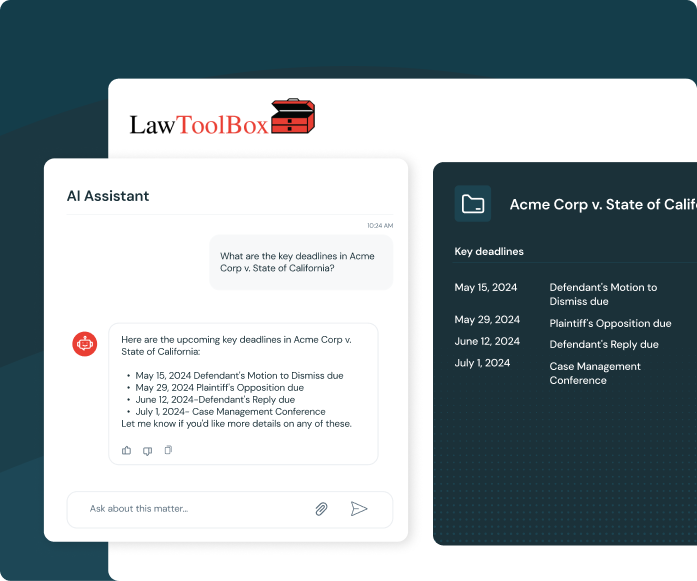
MCP Tools: Grounding Any MCP Client in Real Matter Data
The LawToolBox MCP has 70+ tools that any MCP client can call, including Copilot Studio, Claude, and other MCP-enabled platforms. Tool categories cover identity and lookups, matter data, deadlines and appointments, reports, user and firm information, SharePoint, Groups and matter data in M365, and subscription info. The connector:
Skills: Instructions That Put the LawToolBox MCP to Work in M365
Legal professionals customize the MCP experience with skills that curate the workflow. Skills publish as part of the MCP and are customizable using practice group and departmental playbooks that define templates, clauses, and processes.
- Analyze Deadlines & Draft Docs: Combines deadline analysis with AI models to draft, create, and analyze legal work grounded in the firm’s own gold standard templates and the LawToolBox framework of rules and regulations built by attorneys over decades.
- Extract Events & Calendar: Extracts key dates and obligations from contracts, like renewal deadlines, notice periods, and compliance milestones, then surfaces the governing terms and regulations behind them using legal content built into the LawToolBox architecture.
- Matter Status Updates: Analyzes matter status and drafts next steps, powered by internal playbooks, legal content, and rules-based logic.
- Gameplan Strategy and Next Steps: Surfaces upcoming deadlines and researches what’s needed to meet them, trained on skills built from decades of attorney-developed legal content.
Agents That Combine the LawToolBox MCP with Other Systems
LawToolBox agents run scheduled tasks inside M365, like weekly deadline checks or calendar audits, and can call the LawToolBox MCP alongside other MCP servers such as iManage, NetDocuments, Adobe or DocuSign. Firms can run all of it through a single agent, whether hosted in Copilot Studio, Claude, or another MCP-enabled platform, in one chat. Data stays anchored to the same matter container no matter which system triggered the workflow.
Security and Governance
The connector operates entirely inside the client’s Microsoft 365 tenant and respects existing data governance, ethical walls, and permissions. LawToolBox is not a separate copy of firm data, it is a gateway into containers the firm already controls. AI model connections are admin-configured once and vault-secured, and no M365 Copilot license is required to use the LawToolBox MCP.
MCP Connectors
the Gateway
MCP Tools
Grounding user data.
MCP Skills
Instructions that Incorporate MCP Tools.
MCP Agents
Orchestrating Actions Performed by Connectors and Skills.
“The LawToolBox MCP, available for both Microsoft Copilot Studio and Claude, builds a gateway straight into matter containers, deadlines, documents, laws, and the legal team’s strategic analysis, all tied to one specific matter in M365. That’s the game changer: one governed matter container in M365, reachable by any AI a firm chooses to use.”
Carol Lynn Grow
Co-CEO, LawToolBox
Let's do the Calculation
Our ROI calculator for AI Agent and Copilot calculates the savings and value it can provide
Calculate your ROI
How many hours per week does the average person in your legal department spend on these activities?
- Auto calculating and calendaring deadlines based on rules
- Extracting and auto calender deadlines and legal documents and orders
- Summarizing matter specific, meetings, emails, deadlnes and to doc
No. of attorney
No. of staff
Hours for attorney
hr/week
Hours for staff
hr/week
See your ROI Calculator Result
Dollars Saved per Activity
Attorney
Staff
ROI per Month
Per Person
Per Firm
Total Cost per Day
*includes
LawToolBox is an award-winning M365 add-in with best-in-class deadlines
— Linda P.,
Paralegal

— Diane S.,
Paralegal
— Jill Weberg,
Paralegal
Deadlines don’t wait. Neither should you.
Take the first steps in your transformation