INTEGRATIONS | Imanage

Deadlines & Documents

LawToolBox-iManage Integration Brings Calendaring and Document Management Together inside Microsoft 365

Better Together

A unified product experience across LawToolBox, iManage, Outlook, and Microsoft Teams — streamlining and improving the ability of legal professionals to manage their entire matter from wherever they are.

Never miss a deadline

With LawToolBox automated calendaring in iManage, you’ve got a complete solution to manage your entire law firm end-to-end.

iManage as the System of Record

Create LawToolBox matters directly from an iManage workspace, so your document management system stays the single source of truth. Every matter starts from where the work already lives.

One-Click LawToolBox inside iManage

Open the connected LawToolBox matter right from an iManage workspace — no searching, no switching systems. Deadlines and documents stay one click apart.

Link LawToolBox Deadlines to Documents in iManage

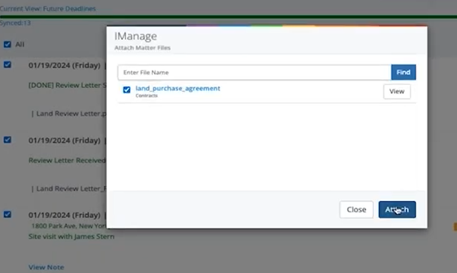
Attach specific iManage documents directly to LawToolBox deadlines, so every date on the calendar is backed by the filing, brief, or order that triggered it. Context travels with the deadline.

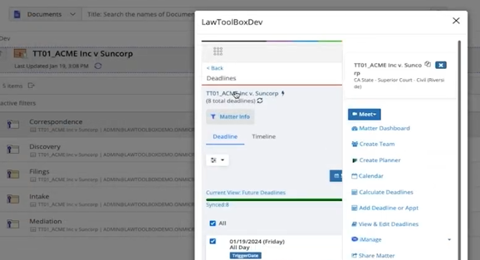
Jump to iManage Docs from Deadline Chart

Navigate straight from a LawToolBox matter to its linked iManage workspace. Attorneys move between deadlines and files without breaking their workflow.

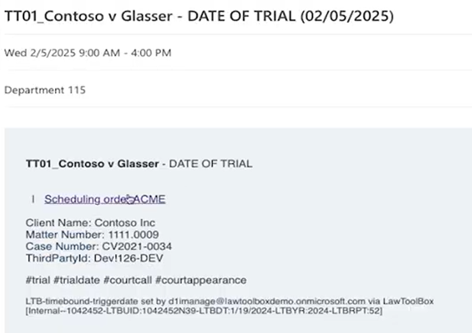
Documents in Your Calendar Invites

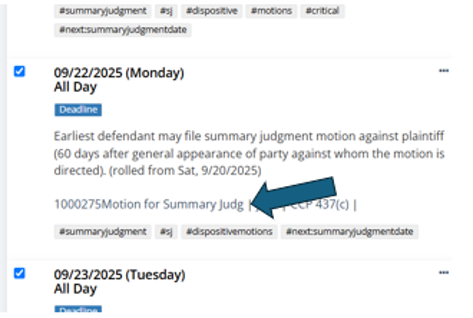
LawToolBox deadlines synced to Outlook automatically include their linked iManage documents. Attorneys see the relevant filing without leaving their calendar.

Matter Management

Set up a Microsoft 365 matter in seconds

Legal Templates

Deploy pre-built Microsoft Teams templates for legal professionals

Collaboration

Configure a Microsoft Team with custom channels and tabs

Deadline Calculator

Choose rule-set & enter a trigger date to calculate deadlines

The seamless integration of LawToolBox with iManage brings together deadlines, documents, and Microsoft 365 creating an elegant and powerful solution that streamlines the practice of law and matter management

Dean Leung

Executive Vice President of Digital Enablement and Communities,

Let's do the Calculation

Our ROI calculator for AI Agent and Copilot calculates the savings and value it can provide

Calculate your ROI

How many hours per week does the average person in your legal department spend on these activities?

No. of attorney
No. of staff
Hours for attorney

hr/week

Hours for staff

hr/week

See your ROI Calculator Result

Dollars Saved per Activity

Attorney

$0.00

Staff

$0.00
ROI per Month

Per Person

$0.00

Per Firm

$0.00
Total Cost per Day

*includes

$0.00

Client Testimonials

Deadlines don’t wait. Neither should you.

Take the first steps in your transformation